
Trailer
The announcement trailer, 83 seconds, with music. Arena, Campaign, Dungeons and Events, named at the end, are not in the alpha.
From the game
-

Story -
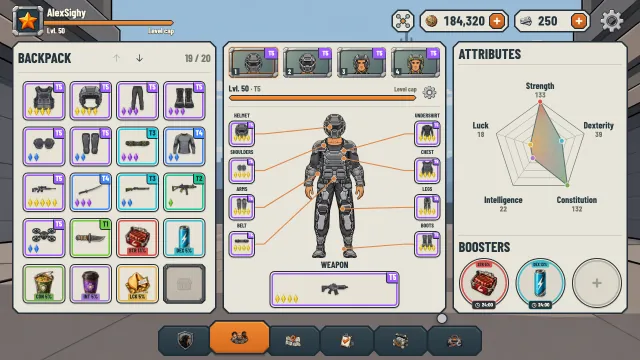
Items and equipment -
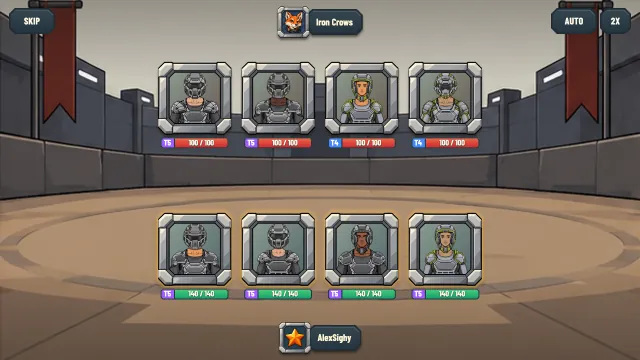
Turn-based combat -
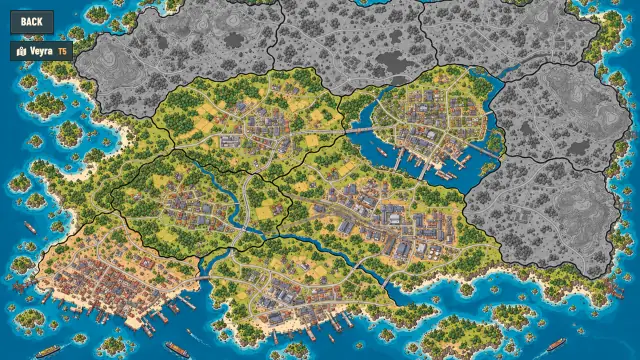
World map
First time opening the app
The desktop apps are not signed yet, so your system warns you the first time you open one.
macOS
- Open the downloaded
.dmgand drag Artefact Legends into Applications. - Open the app once. macOS refuses it; close that message.
- Open System Settings, then Privacy & Security, scroll down and choose Open Anyway next to Artefact Legends. Confirm with your password.
- On macOS 14 and earlier you can instead right-click the app in Applications, choose Open, then Open again.
Windows
- Run the downloaded
.exe. - If Microsoft Defender SmartScreen shows “Windows protected your PC”, choose More info, then Run anyway.
Linux
- Make the AppImage executable: in a terminal,
chmod +x ArtefactLegends-linux.AppImage, or in your file manager open its Properties and allow executing it as a program. - Run it:
./ArtefactLegends-linux.AppImage.